Product verification
How to Read a Handbag Stock Sheet Before Ordering
Understand supplier handbag photos, SKU references, printed quantities, dimensions and color options before requesting a ready-stock quotation.
By SHIREBAGPublished: 3 min read
A supplier stock sheet is useful evidence about a product, but it is not a live inventory system. SHIREBAG keeps original supplier images accessible from stock product pages so buyers can review more than the collection thumbnail. Use the sheet to prepare precise questions, then confirm the order details with the team.
In this guide
Match the SKU across the photo and quotation
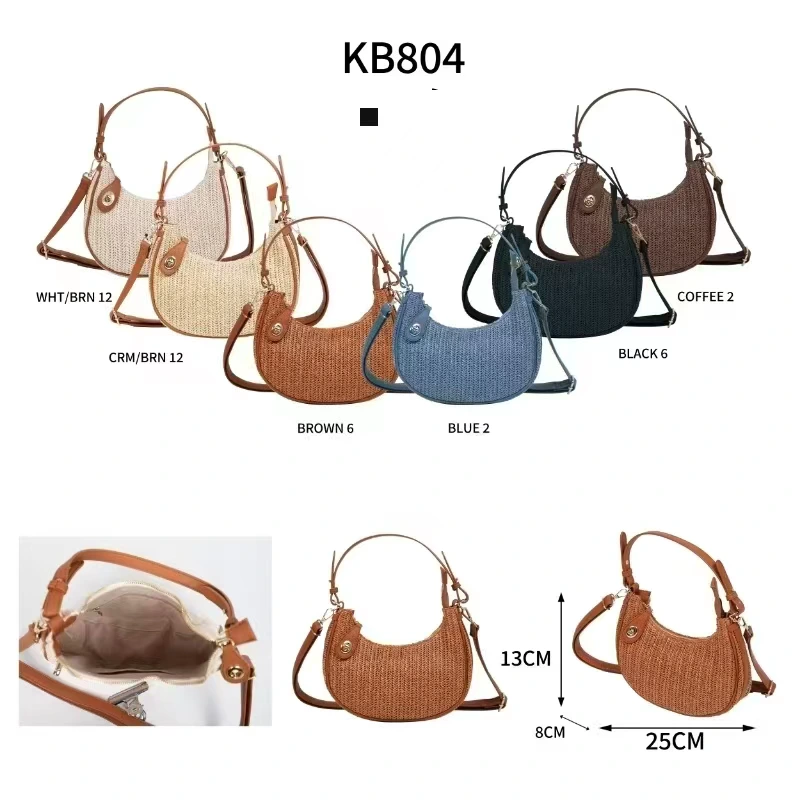
Use the website product reference when asking about a style. A single sheet may show several colors or views of the same bag, while another style may look similar. Include the product link and the preferred color in the request. Before paying, check that the quotation uses the same reference and color as your message.
Treat printed stock counts as a dated reference
Quantities in a supplier photo describe the source sheet, not a live balance. They can change as stock is sold. A large printed number does not guarantee that quantity is available today, and a collection listing does not reserve the item. Ask for the remaining quantity of the specific color you need, especially for a mixed-color order.
Confirm which dimension is being measured
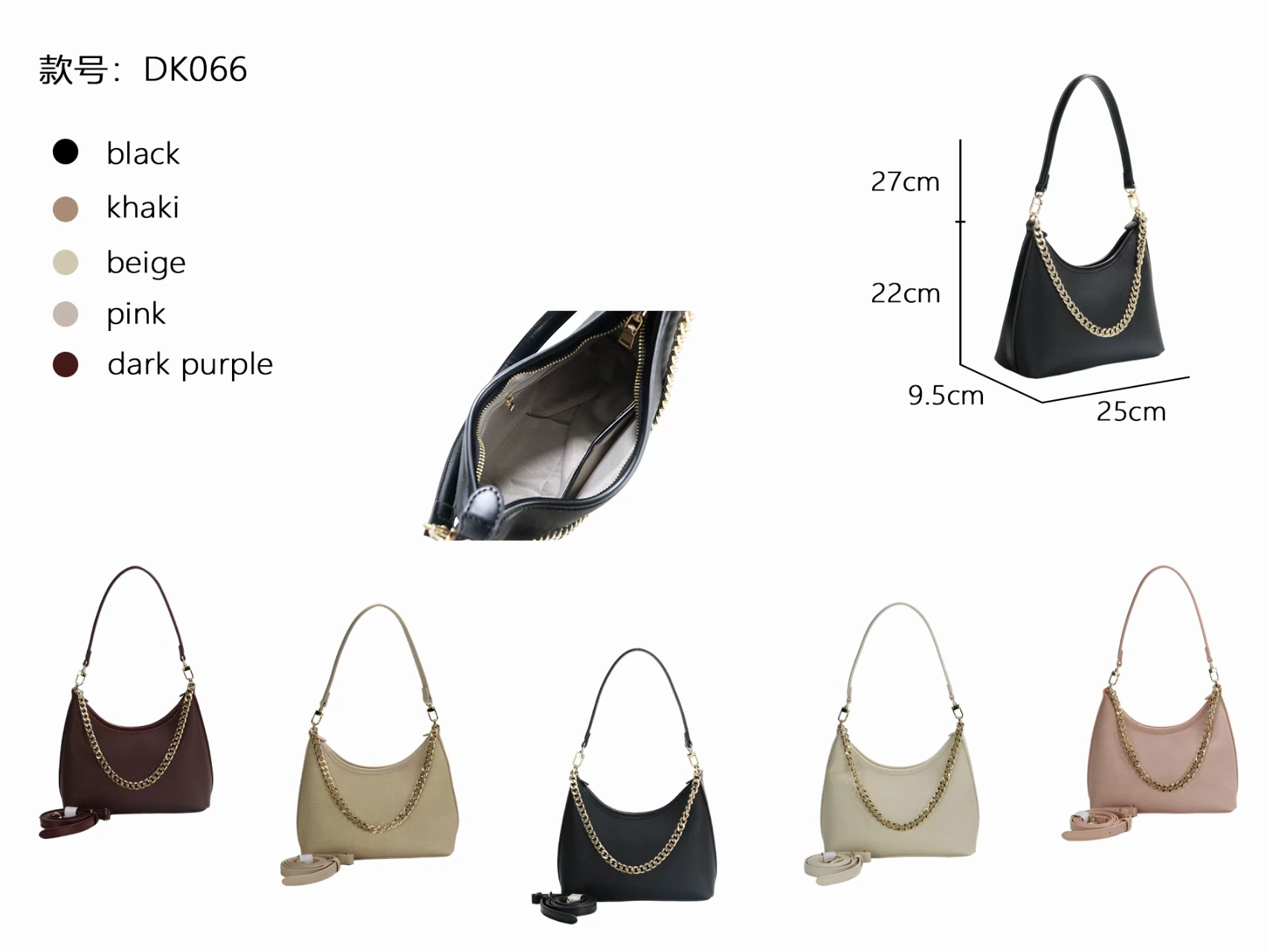
Read the labels and units as well as the numbers. Length, width, depth and height are not always written in the same order on different sheets. Handle drop and overall height can also be different measurements. Ask which measurement includes the handles and how the bag was measured. Do not estimate a dimension from the image or assume the bag will fit a particular device without confirmation.
Use color photos as a reference, not an exact match
Lighting, camera processing and your screen can change the appearance of a color. A label such as khaki or brown is not a precise color standard. If an exact shade is essential, explain that before ordering and ask how it can be confirmed. An existing-stock purchase does not include changing the bag to another shade.
Inspect details that affect the intended use
Look for the closure, handles, strap attachments, seams, internal compartments and visible marks. If the sheet does not show an important feature, request clarification rather than filling in the missing detail yourself. Low-resolution references need better source photographs before making a decision that depends on texture, hardware finish or condition.
Separate the original photo from presentation edits
The collection view may frame one product from a larger sheet, while the detail gallery retains the full source image. Background or lighting improvements should not change the actual silhouette, material texture, strap, hardware or condition. For your order, rely on the agreed specification and confirmed product evidence, not an imagined view of an unseen side.
Review the original stock references
Existing finished products, no customization. Confirm current colour availability and shipping.